Abandoned Cart Recovery
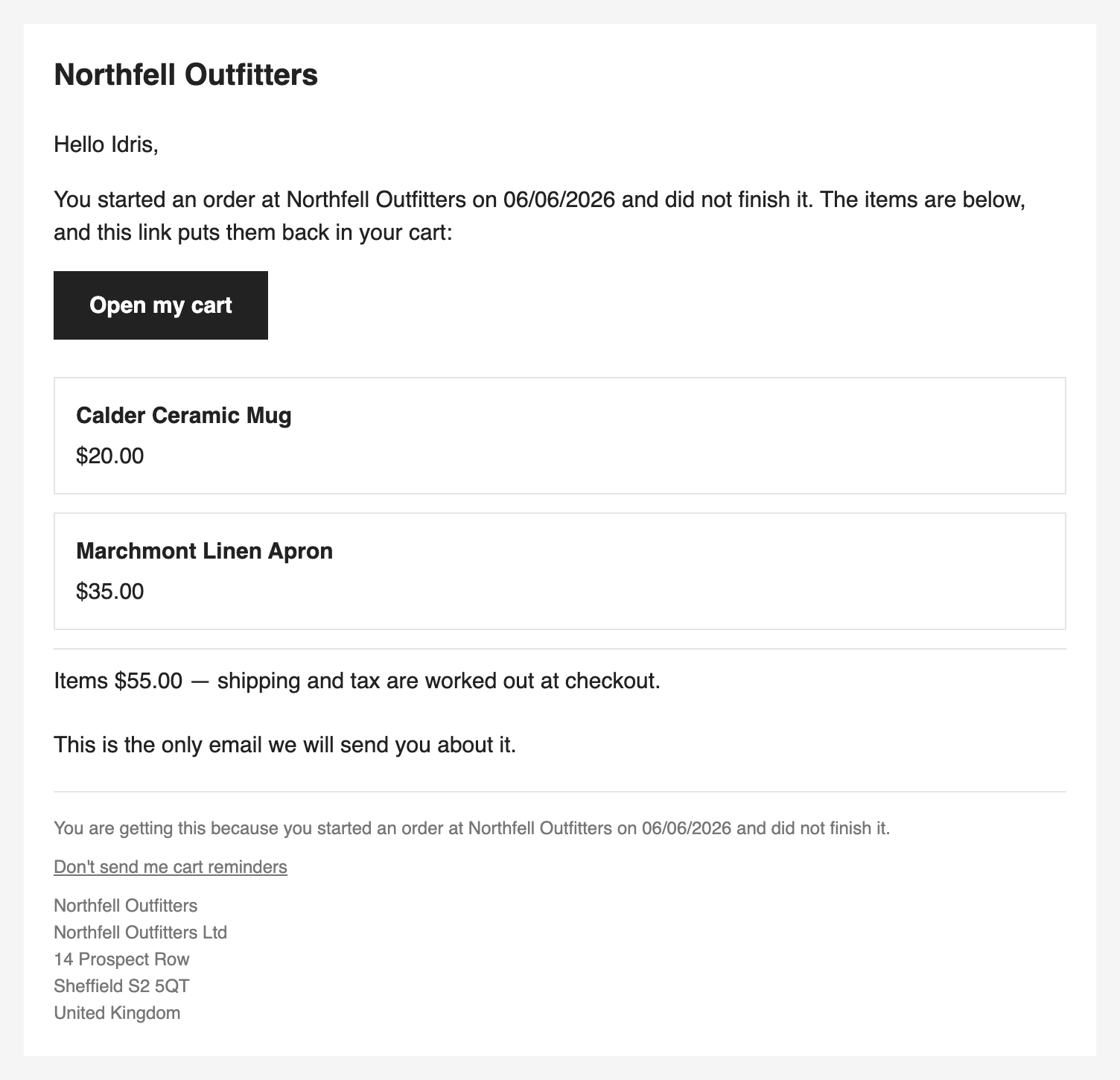
Email the shoppers who reached your checkout and walked away, with a link that puts their cart back. By default that is one plain reminder; a three-email sequence with a coupon exists only when you choose it and say you have the right to send it.
Most cart-recovery tools are sold on a sequence of emails and a coupon generator, and leave you to decide who may receive them. A second email or a discount is also what makes the email marketing, and on the only regulatory decisions there are about abandoned carts, the exception that lets you market to customers does not cover a shopper who never finished buying. So this one starts from the other end: a single reminder that is not marketing, sent to anybody who left, and the sequence behind a choice you make and put your name to.
Who it is for
An OpenCart store that sees checkouts started and not finished, and would like some of them back, without connecting a marketing platform or adding a script to the storefront.
What it does
- Finds abandoned checkouts in your own orders. A checkout that reached the confirm step and was not paid is noticed by a scheduled pass. Nothing is added to your storefront, and no page gets slower.
- Two ways to email, and you choose. Reminder only sends one email with the cart and a link, and nothing else. Marketing sequence sends up to three, with a single-use coupon from the second. Nothing is sent until you have chosen.
- A link that puts the cart back, without signing anybody in: straight to the checkout when everything went back, to the cart page naming what could not when something did not.
- Every abandonment in one list, in nine states from Waiting to Recovered, with Resend, Stop emailing, Suppress and Lift suppression on the rows each one applies to.
- A number you can quote. The funnel for the last 30 days ends in the value of orders placed by people who were emailed, within a fixed seven days of the last email, and says in the same sentence that it counts orders that followed an email, not orders the email caused.
- A backfill for the checkouts abandoned in the week before you installed, showing you who would be emailed, and why the rest would not, before it sends anything.
- A way to stop that holds. Unsubscribing takes a button press, so a mail scanner cannot do it, and the suppression list outlives retention and erasure.
- A command line that runs the same pass without OpenCart's scheduler, and a read-only JSON API, off until you switch it on.
What it does not do
These are the things Abandoned Cart Recovery does not do. Limits and guarantees states each one in full.
- It does not see a cart that never reached the confirm step, signed in or not. There is no pop-up, no exit-intent box and no email capture.
- It does not check your consent. Marketing sequence rests on your acknowledgement and, if you want it, on OpenCart's newsletter box.
- Email only. No SMS, no push, no more than three emails, and one sequence for every cart: no rules by product, category, cart value or customer group.
- The email's prices are list prices, before tax, without specials, discounts or customer-group prices.
- Its recovered figure is not revenue the email caused, and the seven days it counts in is not a setting.
- One settings screen for every store. Each store's abandonments and limits are its own, but the settings, the backfill and the banner are your default store's.
- English only. You can translate the words of the emails; their fixed lines and the pages the links open stay in English.
- Nothing is retried on its own, and nothing tells you an email was delivered, only that your mail server accepted it.
- It needs OpenCart 4.0.2.0 or newer, and on 4.1.0.4 it needs a line in your crontab, because that release's own scheduler is broken.
The rest of this section
- Requirements & install: what the store needs, and the steps to get it running.
- Quick start: one checkout, abandoned and recovered, end to end.
- Guides: walkthroughs, one per task.
- Reference: the settings, what it holds, the security verdict, the API and the cost.
- Limits & guarantees: what it promises, where that promise stops, and the decisions behind the two positions.
- Troubleshooting: when it does not behave.
- Changelog: what changed in each release.
Whichever extension you bought, the shared pages apply to it too.