Advanced Product Filters
A facet panel for your category, brand, search and specials pages. A shopper narrows the listing by price, brand, category, availability and your own filter groups, options and attributes, and every value says how many products ticking it would leave, so nobody clicks through to an empty page.
It is for a store whose categories hold more products than a shopper will scroll, and whose catalogue already carries the brands, options and attributes worth narrowing by. The panel is built out of what you have entered in Catalog; there is nothing new to type in.
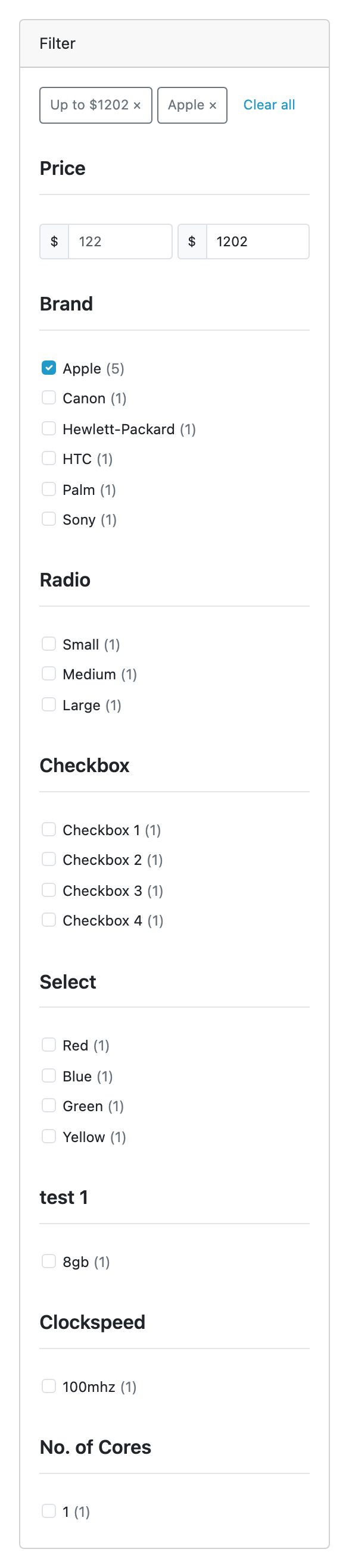
What it does
- Seven kinds of facet. Price as a lowest and a highest box; Brand; Category; Availability (In stock); and each of your filter groups, select, radio and checkbox options, and attributes.
- Counts on every value, worked out with the shopper's other ticks applied, so each number is what that tick would give.
- Ticks within a facet widen, facets narrow. Apple and Canon shows both brands; adding In stock keeps only those in stock.
- Works without JavaScript. It is an ordinary form. With JavaScript a tick reloads the page at once; without, Apply does. The selection is in the address and stays on page, sort and limit links.
- A phone gets one button. Below 768px wide the panel folds into Filter (2) · 14 products, which opens to the same facets and an Apply button.
- Search engines are kept off filtered pages:
noindex, follow, and a canonical to the unfiltered page. - You choose the facets. One list switches each facet on or off and orders them, and a facet added to the catalogue later appears on its own.
- Off until you say so. Installing places the panel and leaves Status off, per store.
What it does not do
This is the shorter list; read it first. Limits and guarantees states each of these precisely.
- No AJAX. Every change is a page load, which keeps the selection on every link and works without JavaScript.
- It does not filter search results on its own. Facets on search results need Product Search 1.5.0 or later, which is free. Without it the search page has no panel.
- The price range bounds the price the tile shows, not what the OpenCart 4.1 cart charges where those differ. A buyer's B2B list price counts only with B2B Pricing 1.1.0 or later, and price sort stays OpenCart's order.
- A bulk import is not counted straight away. Press Rebuild, or wait for the nightly run.
- Up to about 10,000 products. Every count is live, with no cache.
- No slider, no drop-downs, no per-facet collapse, and no setting per layout: where it shows is where you place it on Design → Layouts.
- Uninstalling leaves its four tables, so an update loses nothing. None of them holds anything about a person.
The rest of this section
- Requirements & install: what the store needs, and what enabling it does.
- Quick start: switch it on and filter a page, on a computer and on a phone.
- Guides: launching on one store, choosing facets, rebuilding after an import, moving the panel, facets on search.
- Reference: the address a filtered page has, the tables and the events.
- Limits & guarantees: exactly what Advanced Product Filters promises, and where that promise stops.
- Troubleshooting: when it does not behave.
- Changelog: what changed in each release.
Whichever extension you bought, the shared pages apply to it too.