Quick start
The shortest whole loop: switch it on, write one rule, and watch an option disappear on your own storefront. Ten minutes on a product that does not matter yet. A copy of a real one is ideal, because a copy lands disabled.
You need Product Configurator installed and permitted first.
1. Switch the module on
Go to Extensions → Extensions, choose Modules in the Choose the extension type list, find Product Configurator and press Edit.
Set Status to Enabled and press Save.
That is the whole of the store-wide configuration. With it off, nothing happens anywhere; with it on, the rules you write on a product decide which of its options a customer is shown and which they must answer.
If your store is newer than the newest OpenCart release this extension has been tested against, this screen says so. It is a note, not a problem.
2. Give a product two options
Rules connect options, so you need at least two. On Catalog → Products, edit your test product, open the Option tab, and add two options, or use two it already has.
For this walkthrough:
- Frame material: a Radio or Select option with the values Wood and Aluminium.
- Wood stain: a Select option with a couple of values. This is the option that should only be offered on a wooden frame.
A rule's WHEN side can only name a select, radio or checkbox option, because those are the ones whose answers are values you set in advance. The THEN side can name an option of any type.
You do not have to save yet. The Configurator tab reads the options straight off the form, so an option you added a second ago is already available to write a rule against.
3. Write the rule
Open the Configurator tab and press Add Rule. A rule row reads as a sentence:
WHEN  Frame material  is  Aluminium
THEN  hide  the option  Wood stain
- Choose Frame material and Aluminium on the WHEN line.
- Leave the verb as hide, leave the target as the option, and choose Wood stain.
An option you have used as a condition leaves the target list, and the other way round. A rule about an option's effect on itself is the one thing the builder will not let you write.
Press the product form's own Save. There is no second save button: the rules travel with the product.
4. Watch it on the storefront
Open the product on your storefront.
- Both options are there, because nothing has been answered yet.
- Choose Aluminium. Wood stain disappears, immediately, with no page reload.
- Choose Wood again. It comes back, with anything you had already put into it still there.
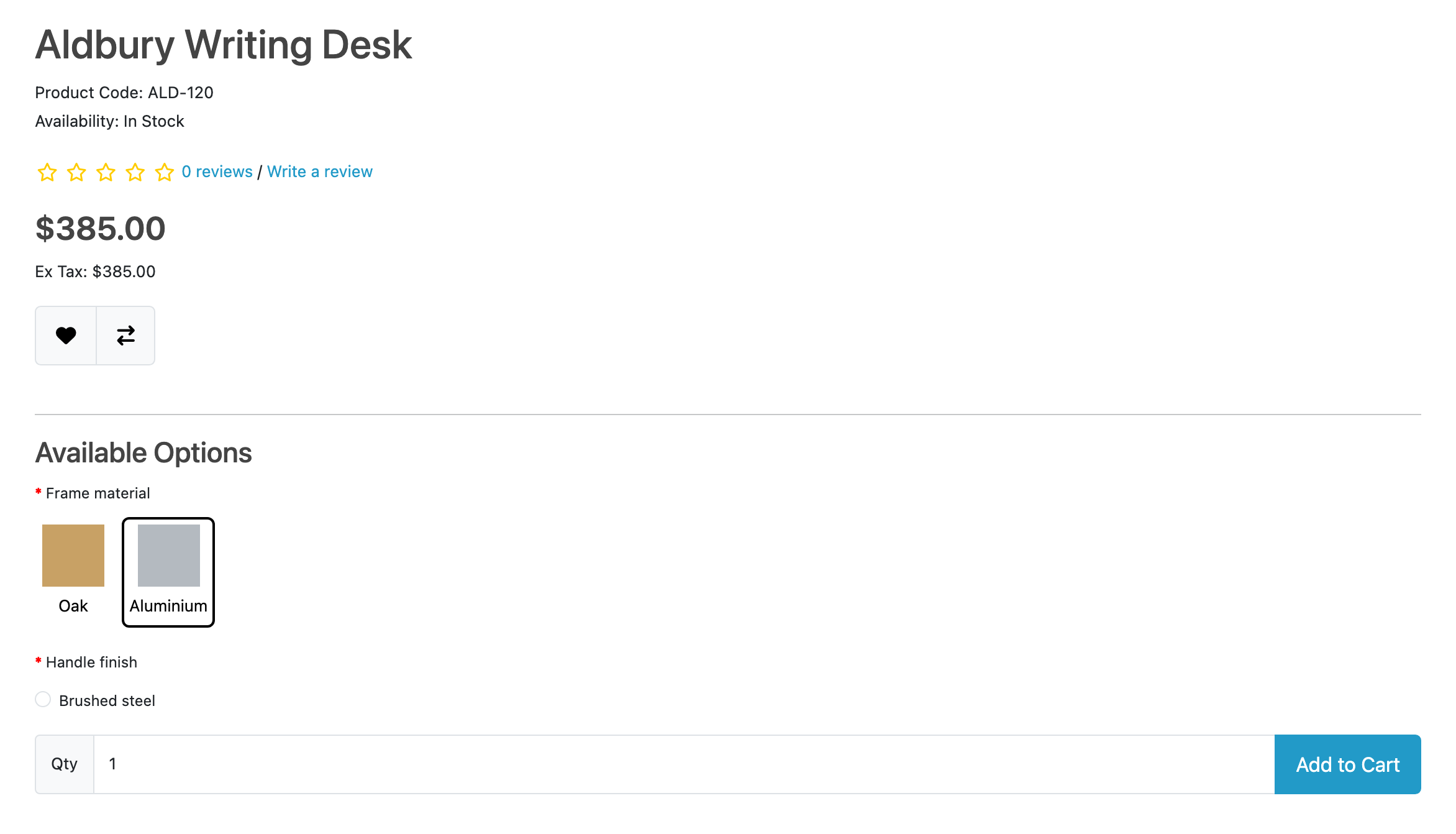
The store in that picture has gone one step further than this walkthrough: its wooden value is called Oak, it carries images on both frame values so they are drawn as swatches, and a second rule takes the Brass handle away from an aluminium frame. The guides cover both of those.
Now the important half. Add the product to the cart with Aluminium chosen. Nothing about Wood stain is submitted, because a hidden control is not sent. And if a stale page or a hand-built form does submit it, OpenCart's own validation refuses the combination. The rules are enforced on the server too, which makes the hiding a convenience rather than the whole mechanism.
5. Try the other two verbs
Change the rule's verb on the Configurator tab and save again:
- show: the target is hidden until the rule fires. Use it for the option
that is normally not offered:
WHEN Finish is Engraved THEN show the option
  Engraving text
. - require: the target must be answered while the rule holds. Use it for the
answer that only becomes necessary in one configuration:
WHEN Frame material
  is Wood THEN require the option Wood stain
.
Add a second condition with the + on the rule to narrow when it fires; conditions are joined with AND. Where you need an or, write two rules with the same target.
Where to go next
- Guides: the rule shapes that come up most, including hiding a single incompatible value rather than a whole option.
- The rule grammar: every verb and target, in one table.
- Limits and guarantees: what a customer with JavaScript off sees, what happens to cart lines already added, and what a copy, a delete and an uninstall carry.