Review Requests
Ask every customer for a review after their order arrives, once, and mark the reviews that came from a real purchase.
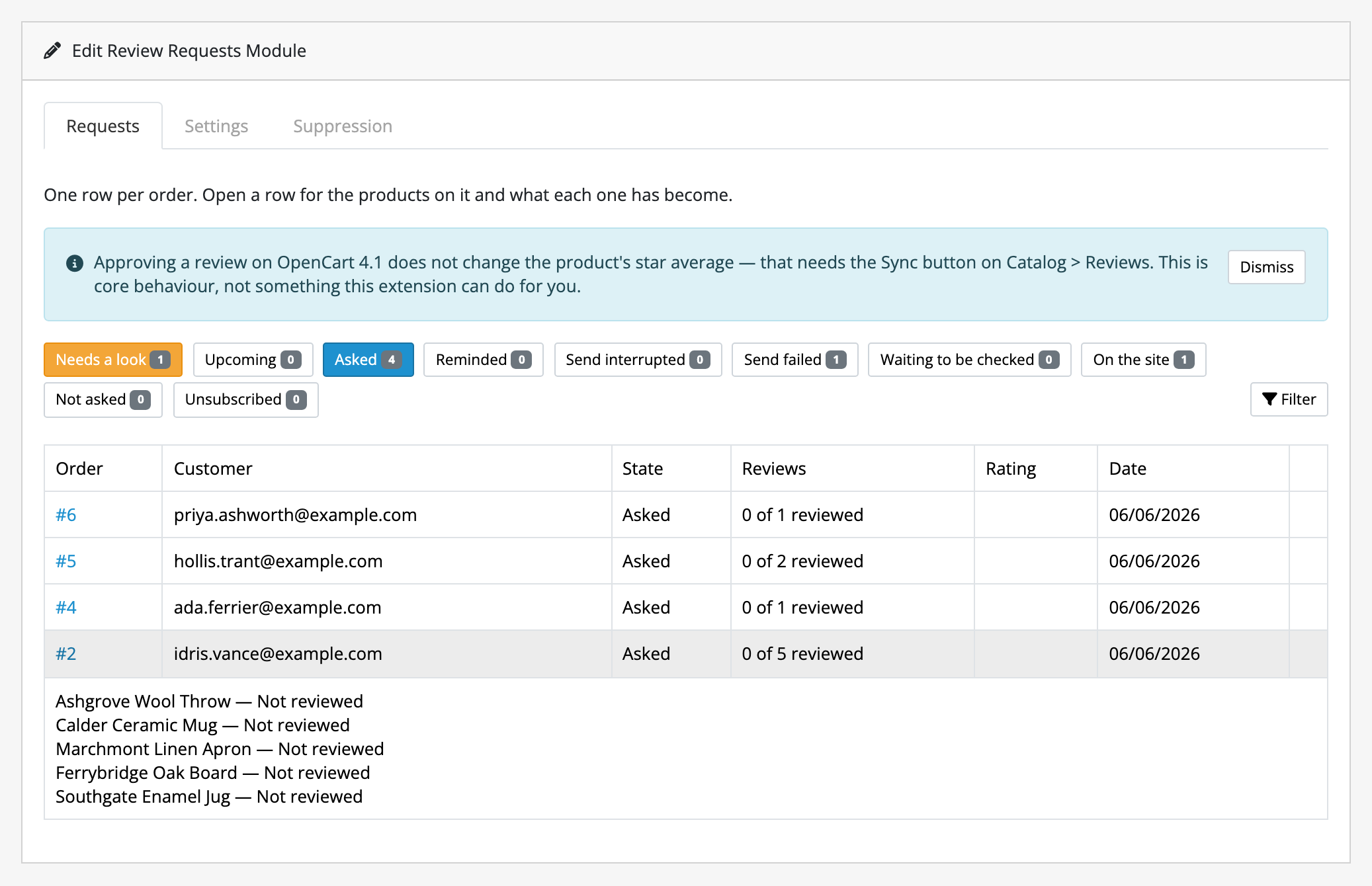
An order reaches the status you chose, a delay you set goes by, and the customer is emailed a link. The link opens a page with a card for each product they bought (no login, no captcha, no account), and each card takes a rating and a few sentences. What comes back is an ordinary OpenCart review, sitting in Catalog → Reviews for you to approve, and carrying a Verified purchase badge and a disclosure line when it appears on the product page.
It is for a store whose product pages are thin on reviews and whose owner does not want to think about it every week. It runs on your store's own scheduler, under a sending rate you set, and it tells you on one screen why nothing has gone out.
What it does
- Asks once, per order. A single reminder if you want one, never a second, and any review landing for that order cancels it.
- Treats guest orders as first class. The link is the proof of purchase, so nobody needs an account to review what they bought.
- Marks what it collected. The badge is joined to the order the invitation was issued against, and the disclosure line beneath the review list says in plain words what the mark means and how you handle reviews.
- Keeps its own suppression list. Anybody can opt out from the footer of any email, and you can add an address by hand when somebody asks you instead.
- Can reach your back catalogue, deliberately: an initial collection shows you the arithmetic and how many days it will take before it sends anything.
- Can pay Loyalty points for an approved review, when the Loyalty extension is installed and you set an amount. Off until you do, and never for a guest.
- Leaves out what nobody reviews. Pick products or whole categories, such as gift cards and samples, and they are never asked about.
- Sends inside the hours you choose, so nobody is emailed at 3 a.m. Outside them the passes keep finding orders and send nothing.
- Lets you reply to any review, in a box on OpenCart's own review form, and prints the reply under the review on the product page.
- Says why nothing is sending. A nine-line checklist at the top of the settings screen, each line naming the screen that fixes it.
What it does not do
- It does not gate reviews. There is no setting that asks a customer how they feel first and only invites the happy ones onwards, and there never will be. Choosing a trigger status only some customers reach is the same thing by the back door, which is why the field says so.
- It does not collect photos or videos, and does not do store or service reviews. What it collects is core's review (a rating, some text, a name), because that is what your theme already displays.
- It does not email the reviewer when you reply. The reply is on the product page, and only where your theme prints the review's text the way core does.
- It does not syndicate anywhere. Nothing is published to Google, Trustpilot or anyone else.
- It does not read a mailbox, so bounces are invisible to it and a dead address is asked again the next time it qualifies.
- It cannot promise delivery. It hands a message to your mail engine and says asked, never delivered. Your host's outbound cap, and your sending domain's reputation, decide the rest.
- It does not move your star averages on OpenCart 4.1. Approving a review there needs the Sync button on Catalog → Reviews. That is core's behaviour, on every review your store has, not just ours.
- It does not delete your data, including when you uninstall it. That cuts both ways: the tables stay, and so does the suppression list.
The whole of that is written out on limits and guarantees. Read it before buying rather than after.
The rest of this section
- Requirements & install: what the store needs, and the steps to get Review Requests running in it.
- Quick start: the shortest path from installed to useful.
- Guides: task-shaped walkthroughs.
- Reference: the lists: settings, states and where things live.
- Limits & guarantees: exactly what Review Requests promises, and where that promise stops.
- Troubleshooting: when it does not behave.
- Changelog: what changed in each release.
Whichever extension you bought, the shared pages apply to it too.