Quick start
The shortest whole loop: switch the panel on, filter a category page on a computer and on a phone, and see what a search engine is told. It takes about five minutes on OpenCart's demo catalogue, and nothing in it changes your products.
1. Switch it on
Install it first: see requirements and install. Installing has already placed the panel; it renders nothing yet.
Open Extensions → Extensions → Modules → Advanced Product Filters → Edit, switch Status on, and press Save.
2. Filter a category page
Open a category page on your storefront, for example Desktops. The panel sits in the left column: a Price facet with two boxes, then Brand, and whichever of Category, your filter groups, options and attributes, and Availability would narrow that page, each value with the number of products ticking it would give.
Tick a brand. The page reloads with only that brand's products, the brand shows as a chip at the top of the panel, and every other count changes to what it would give alongside that brand. Type a highest price into the right-hand box: the page reloads again, and the range is a second chip.
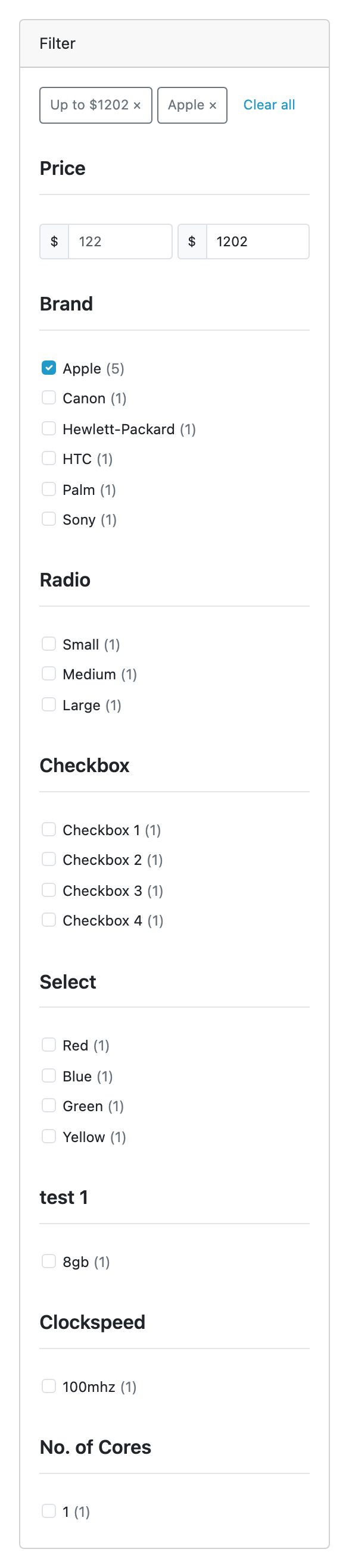
Press a chip's × to take that one tick away, or Clear all for the unfiltered page. Go to page 2 and sort by name: the selection stays on both.
3. Look at it on a phone
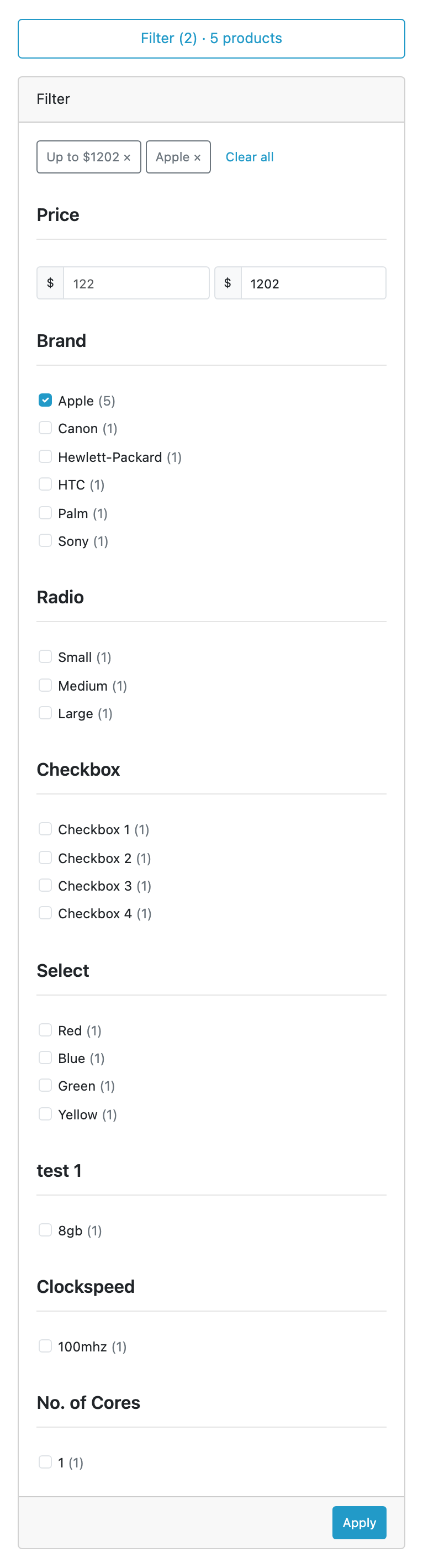
Open the same address on a phone, or narrow your browser below 768px. OpenCart's theme hides the left column there, and the panel is one button at the top of the listing reading Filter (2) · N products. Open it, tick, and press Apply.
4. Check what a search engine sees
View the source of the filtered page. Its head carries <meta name="robots"
content="noindex, follow"/>, and its canonical link is the category page with no
filter at all. The unfiltered page has neither change.
5. Choose the facets
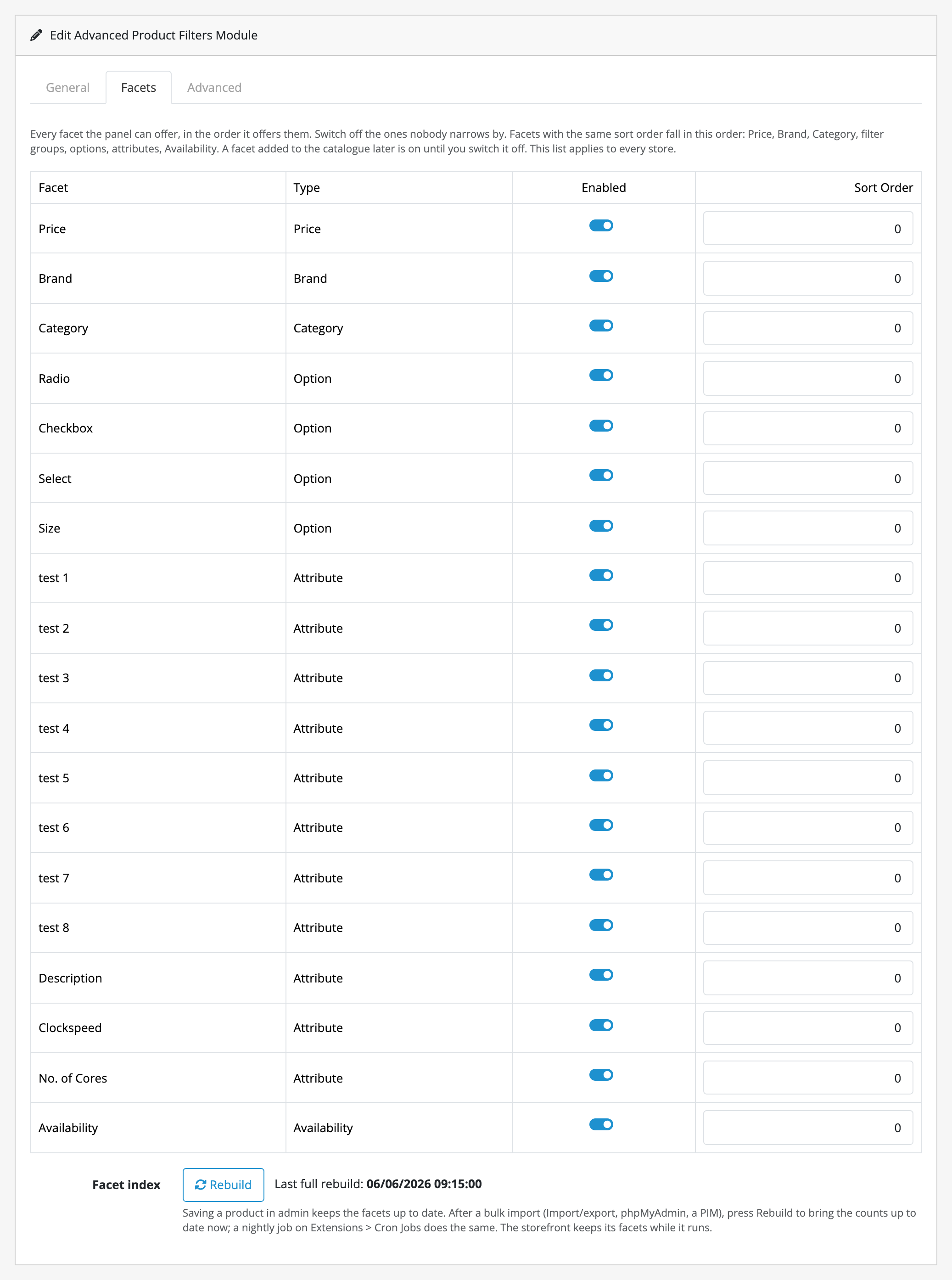
Back on the settings screen, open the Facets tab. Every facet the panel can offer is listed in the order it offers them. Switch off the ones nobody narrows by, change a Sort Order to move one, and press Save.
From here, guides covers the jobs that come after this, and limits and guarantees is worth reading before you rely on it.