Troubleshooting
If the extension will not install at all, or an admin page is blank, start with troubleshooting an install, which is the same for every extension sold here. What follows is specific to Returns Portal.
Whatever the symptom, Returns Portal wrote down what it did and what it refused to do, in a file your own admin downloads in one click. See what Kyvero extensions log.
The Return Requests entry is not in my Sales menu
The queue carries a permission of its own, and OpenCart hides a menu entry rather than showing an error when a user group does not have it.
Tick extension/returns_portal/sale/request under both Access Permission
and Modify Permission in System → Users → User Groups, for the group in
question. The group that installed the extension already has it; nobody else
does until you say so. The module's own settings screen says the same thing, in
case somebody reaches that first.
Nothing is returnable — every line is greyed
It is almost always one of two settings, and the reason for the second is not obvious.
The order's status is not on the list. Check Returnable from these order statuses against the order's current status in Sales → Orders. The portal reads the status the order is in now.
The store you are testing has never had the settings form saved. Settings are per store. A second storefront falls back to your main store's values and then to the shipped defaults, which is designed to prevent exactly this. But if somebody has saved that store's form with an empty status list, an empty list is what it has.
Failing both, the window has closed: open the request as a customer and the refusal at the top of the line list says which of the two it is.
A customer says their return window should still be open
Look at the order's history in Sales → Orders. The window runs from the first time the order reached the status you nominated under Window starts at, and never restarts.
Where the order never reached that status, the window runs from the order date instead, which is earlier, so the window closes sooner. That is the usual explanation for a window that feels short.
There is no way to extend one request's window. A delivery that failed and was redelivered three weeks later has no remedy inside the extension: file the return yourself in Sales → Returns.
A customer cannot get in at all, and the message tells them nothing
That is deliberate, and it makes this one harder to diagnose than it looks.
Every refusal on the guest lookup is the same sentence: no such order, wrong address, an order on your other store, an order past the reachability horizon, or a caller who has made too many attempts. A refusal that varied with the address would be a way to test whether an address had ever bought from you.
Work through it from your side:
- Is the address exactly the one on the order? It is compared against what is on the order, not against any account.
- Is the order on the store they are looking at? An order placed on your other storefront is not reachable from this one.
- Is the order older than the horizon? Beyond the return window plus ninety days by default, the portal stops distinguishing a real order from an invented one, so a customer who would have been told your window closed gets the generic refusal instead.
- Have they been trying repeatedly? After enough attempts from one address or against one order number, every answer is that refusal for a while. It does not announce itself, because a lockout that did would be a way of confirming the order exists.
- Is guest access switched on? That is Let a customer with no account look up their order on the settings screen. With it off, the lookup is refused on the server rather than merely hidden.
If none of it applies, the fastest resolution is to file the return for them in Sales → Returns and tell them it is done.
A photo will not upload
Photos are accepted on what their bytes actually are, not on what the file is
called, so a .jpg that is really something else is refused, correctly.
Check it against what a customer may attach: the format, the size, and the count already on that line and on that request.
If every photo is refused on a store where they used to work, check that
your storage/returns_portal/photos/ directory still exists and is writable by
the web server. Enabling the module creates it; a server migration that copied
only the web root will not have.
A return still says it is fully returned after I refused it
OpenCart has no idea of a refused return. Its return statuses are names you can rename and delete, so a return row that exists at all consumes the quantity, including one you have already turned down by hand in Sales → Returns.
Delete that row in Sales → Returns. Returns Portal notices as it happens and the quantity is released immediately, so the customer can ask again.
The customer's email never arrived
Returns Portal never claims a message was delivered, only that it was handed to your store's mail configuration, because that is all OpenCart reports.
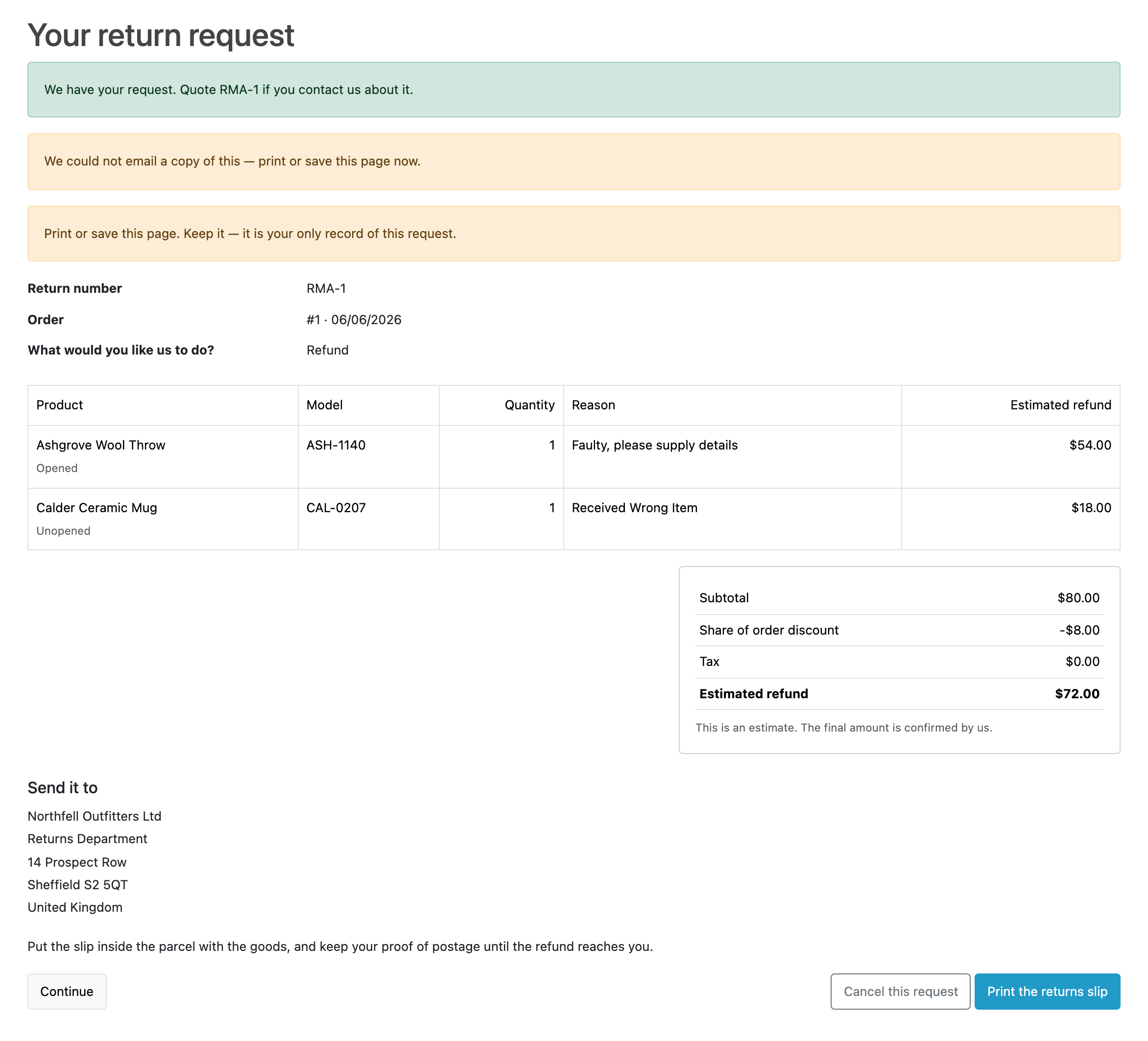
The customer is told either way. Where the store could not hand the message over at all (which is what a store with no mail engine configured does), the confirmation screen says so, and tells them to keep the page they are looking at.
Check System → Settings → Mail first, and send yourself something from another part of the admin to prove the configuration works at all.
Two known shapes:
- The wrong language, or key names instead of words. Emails go out in the order's language. This extension ships English, so an order in another language falls back to English. It should never produce a blank email or a page of key names. If it does, a translation folder has been half-added.
- Your alert stopped, but customers' emails did not. Only the merchant alert can be switched off. The customer's emails are not switchable, deliberately: for a guest the submission email is the only copy of their request that will ever exist.
Store credit will not issue
The button refuses, and the reason is one of these, each said on the screen:
- The customer is a guest. There is no balance to credit, so no button is offered at all.
- The account no longer exists.
- The amount is zero or below. A fully-discounted line can legitimately reach zero. The extension never writes a zero or a negative amount.
- Credit has already been issued for this request. You are shown what was issued and when. It is not a top-up and it is never reversed.
- Somebody else is issuing it right now. Two people pressing the button at once get one credit between them. Reload the page.
- The transaction could not be written. Nothing was sent to the customer, and the request says so with a Try again button. It is safe to press.
If credit issues but the customer cannot spend it, check that Store Credit is enabled under Extensions → Extensions → Order Totals. The request screen warns you when it is not.
If the button is absent on an approved request whose customer has an account,
check that your user group has Modify on customer/customer, OpenCart's own
permission for touching a balance.
Erasing a customer reported "Not fully erased"
A photo's file would not delete. The record was left standing on purpose, so the act can be run again instead of ending silently half-done.
Check the permissions on storage/returns_portal/photos/, then run it again.
Everything already erased stays erased.
I switched the module off and OpenCart's old return form came back
That is what switching it off does. Returns Portal changes no core file: while it is on, your store's return links point at the portal and OpenCart's own form is closed; while it is off, OpenCart behaves exactly as it shipped, including accepting a return against any order number from anybody.
If you want the portal's rules, leave the module on. There is no setting that keeps the form closed with the portal switched off, and that is deliberate: it would be a supported configuration in which returns are neither gated nor recorded.
The API answers 401 with a credential I know is right
Work down a correct credential is still refused with
401,
which covers this for every extension that answers an API. The short version:
read the store's error log, and if it says no credential was presented for a
call that sent one, your hosting is stripping the Authorization header.
Check two things on this screen first. The API switch is under Extensions → Modules → Returns Portal, in its API section, and it is independent of the portal's own status: the API keeps answering with the portal switched off. That section also warns you when no API user is enabled, or when none has an IP address on its list; both refuse every call.