Quick start
Ten minutes, on a store you can afford to look at afterwards. You will turn the suite on, publish a sitemap, and fetch it in a browser. That is a whole loop you can check from outside the admin, and it writes nothing into your catalogue.
Everything here is reversible. The four areas that do write into your catalogue are at the bottom of this page, with a warning attached to the one that deserves one.
Before you start
Install the suite and make sure you can open Extensions → Extensions → Modules → SEO Suite Pro. If the screen will not open at all, that is an install problem rather than an SEO Suite Pro one. See troubleshooting an install.
1. Turn the suite on
On the SEO Suite Pro screen, switch SEO Suite Pro on and save.
Nothing has changed about your shop yet. This is the switch OpenCart's extension list shows as enabled; what each area does is decided by that area's own Status, and all five are still off.
The screen lists the five areas with a link into each. That list is the whole navigation: there is no second menu.
2. Publish a sitemap
Open XML sitemap from that list.
- Switch its Status on and save.
- Leave Regenerate automatically on Only when I press Generate for now. You are about to press the button yourself, and a schedule is a decision to make once you have seen the output.
- Press Generate sitemap.
The screen posts until the run finishes and then tells you how many URLs it wrote. On a demo catalogue this takes a second or two.
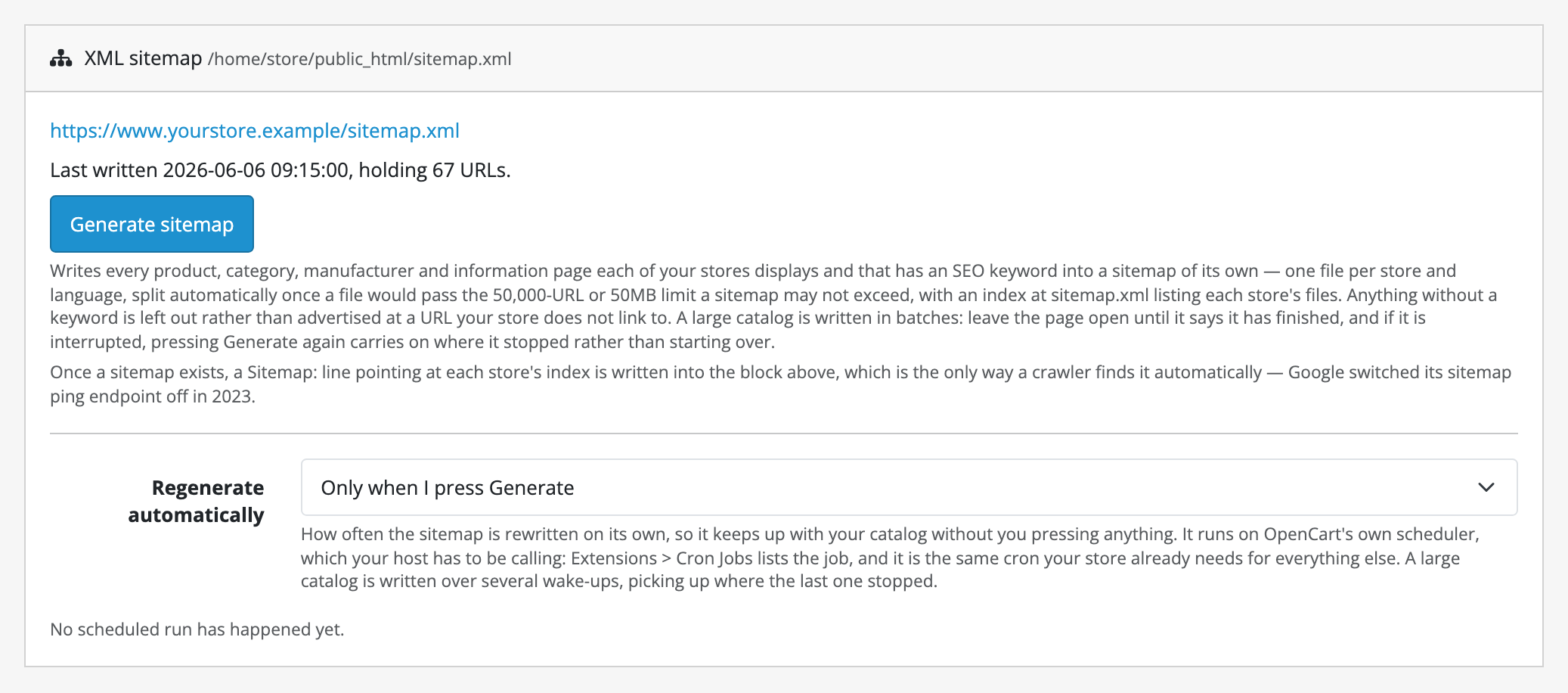
If it tells you instead that it could not write to your web root, stop here: that is the one failure worth knowing about and it is about file permissions rather than about the catalogue.
3. Fetch it as a crawler would
In a new browser tab, open your shop's address followed by /sitemap.xml:
https://your-shop.example/sitemap.xml
You should get an XML index naming one or more sitemap files. Open one of them and you will see your product, category, manufacturer and information page URLs: the ones your store actually displays and that have a URL keyword. Anything with no keyword is deliberately absent, because a sitemap advertising a page that 404s is worse than one that omits it.
Then open /robots.txt. Between the two SEO XML Sitemap markers you will find
a Sitemap: line pointing at the index you just read. Every other line in that
file is exactly as it was. The suite owns the block between its markers and
nothing else.
That is the loop: generate, publish, fetch.
4. Decide the schedule
Go back to the XML sitemap screen and set Regenerate automatically to Every day.
The suite registers one hourly job on OpenCart's own scheduler, which asks your
chosen cycle whether a run is due. This only works if your host is actually
calling OpenCart's cron.php. If it is not, the screen will keep telling you
no scheduled run has happened, and the fix is a crontab line rather than a
setting. On OpenCart 4.1.0.4 the store's scheduler is broken inside OpenCart
itself and the crontab line is the only door. Both cases, and the command, are on
the install page.
Where to go next
The other four areas each have a guide of their own. Two of them are safe to explore the way this one was, and two write into your catalogue:
- Markup: switch it on and paste a product URL into Slack. Nothing is written anywhere; the tags are composed as each page renders.
- Redirects: switch it on and let it collect for a week before you decide anything. Recording a broken URL changes nothing about what your shop serves.
- URLs & meta: writes URL keywords and meta text into your catalogue. Generate never touches anything that already has a value; Regenerate everything overwrites the lot, has no undo, and is the one button here to be careful with. What either writes stays after an uninstall. Preview first; that is what the preview on that screen is for.
- Alt text: writes image descriptions across the catalogue. It never overwrites words somebody typed, and there is no undo for ten thousand rows.
Before you turn either of the last two loose on a real catalogue, read limits and guarantees. It is short, and it is the page that says exactly where each promise stops.