Quick start
The whole loop on one checkout, in a little over an hour: you abandon a checkout, the pass notices it, you get the reminder, the link puts your cart back, and you buy. Do it with an email address you can read, because the email is real.
You need Abandoned Cart Recovery installed and your user group granted its permission. See requirements and install.
1. Switch it on and choose how it may email
Open Extensions → Extensions → Modules → Abandoned Cart Recovery. It opens on the Settings tab, with a warning that nothing is being sent.
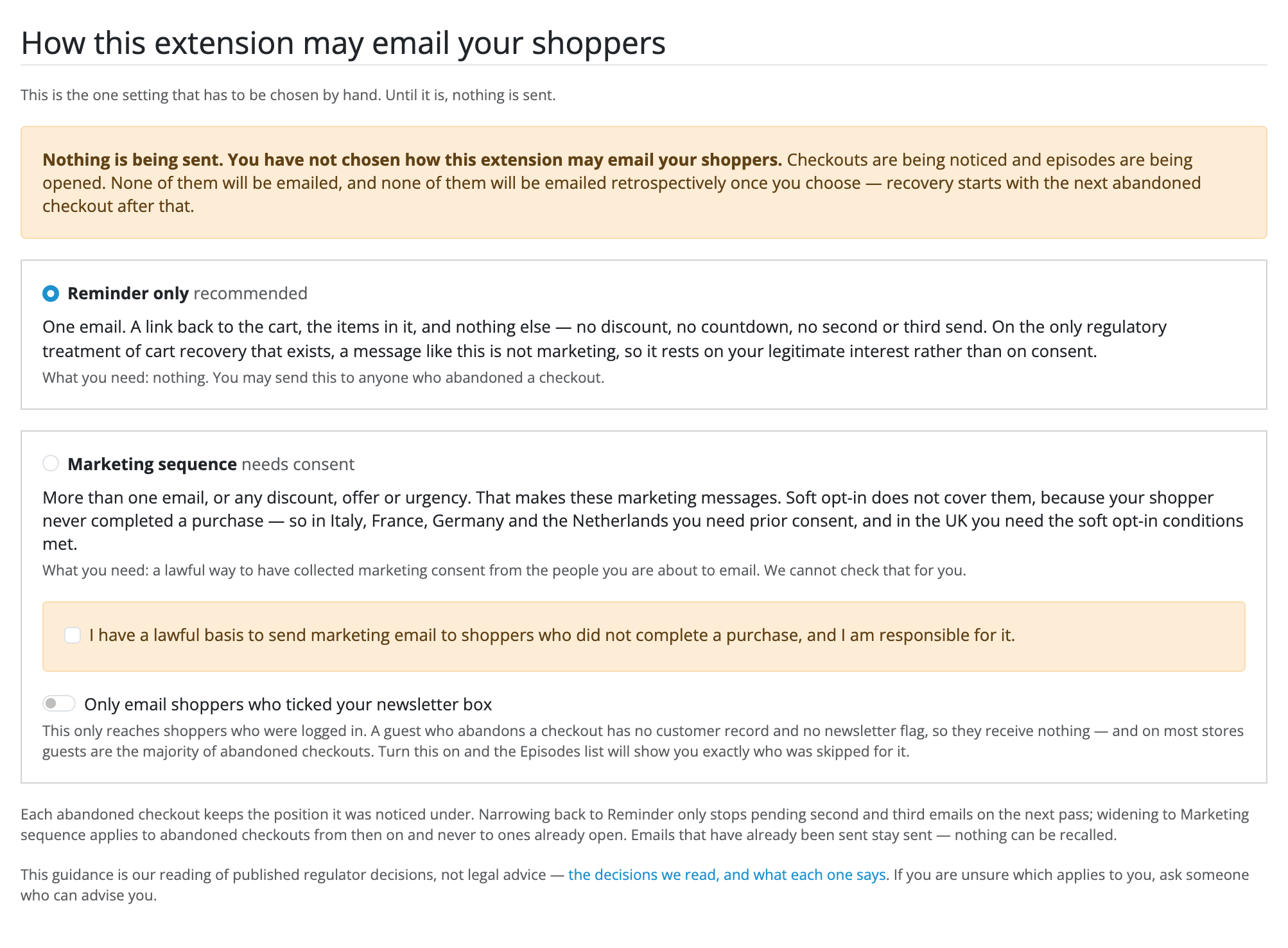
- Turn Status on.
- Leave Reminder only selected. It is the position that needs nothing from you, and the one to learn the extension on.
- Press Save. Until you do, the choice is not stored and nothing is sent.
If your store has never sent an email, choose a mail engine under System → Settings → Mail first. The banner above the tabs will say so if it is missing.
2. Abandon a checkout
In a private browser window, go to your storefront, put a product in the cart and go through the checkout as a guest, with your own email address, as far as the last step, Confirm Order. Close the window there without confirming.
That unfinished order is what the extension looks for. Stopping earlier, at the address step for instance, leaves nothing it can see.
3. Wait for the first email
The first email goes an hour after you left (First email after, on the
Settings tab), at the first pass after that. OpenCart's scheduler runs a pass
every hour, when your host calls its cron.php. To run one yourself instead:
cd /path/to/store
php extension/abandoned_carts/abandoned_carts.php
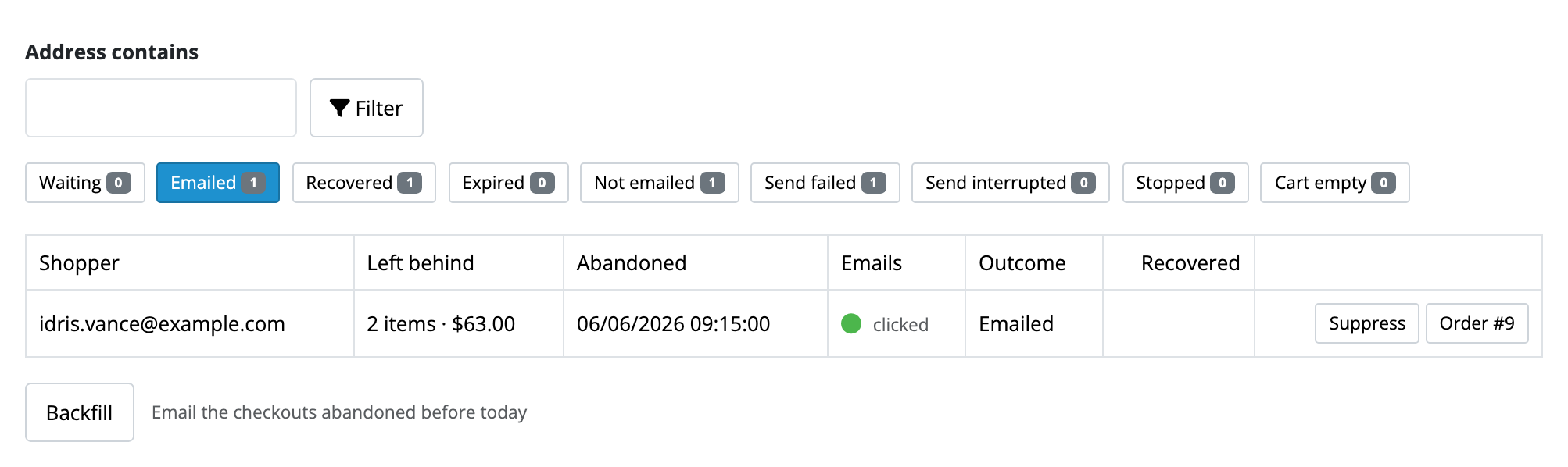
When the pass has run, the Episodes tab lists your checkout under Emailed, with a green dot under Emails.
4. Read it, and follow the link
The email names your store, lists what you left with today's prices, and says it is the only one you will get about it.
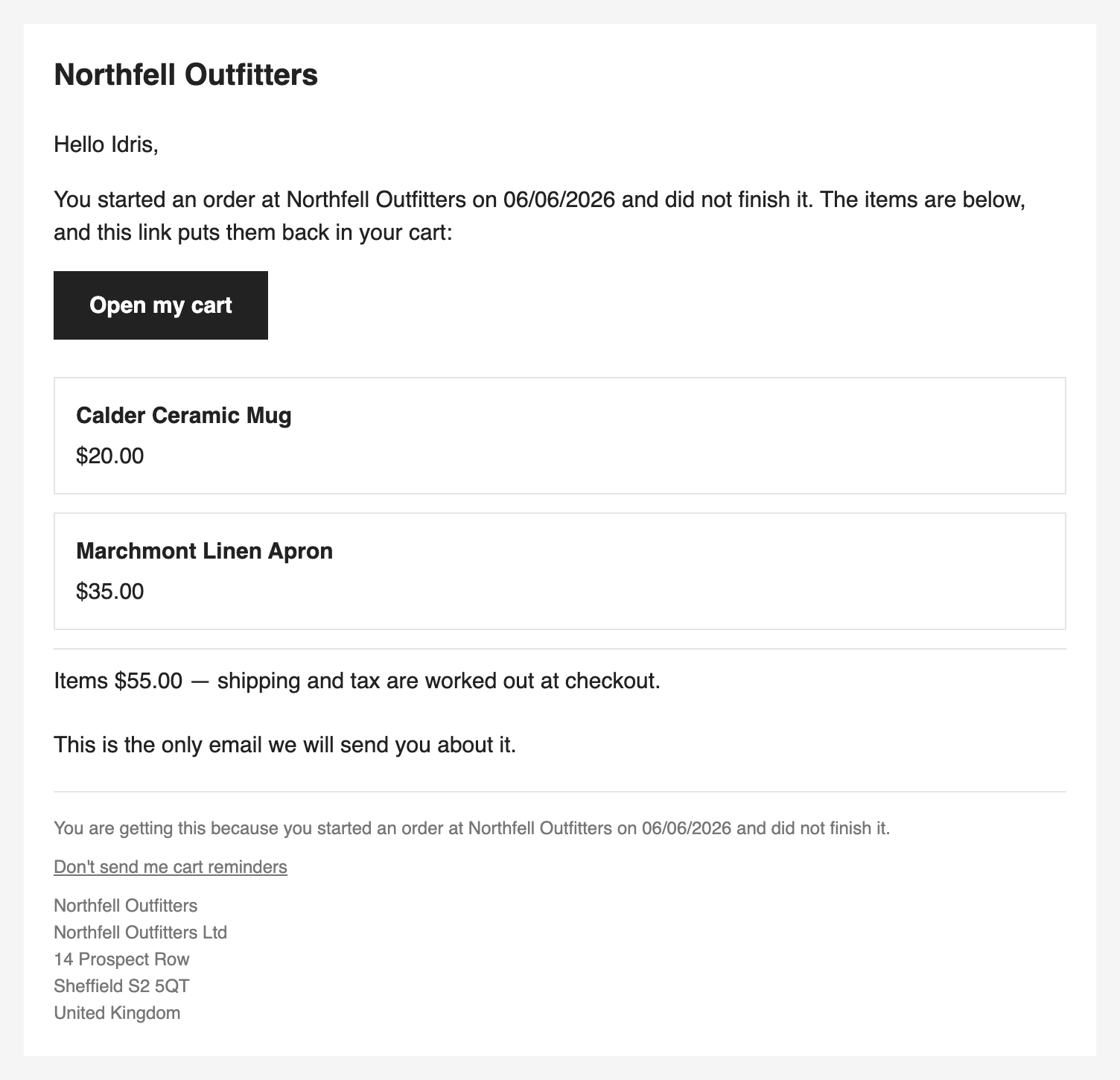
Press Open my cart. The products go back in the cart and you land on the checkout. If something could not go back, you land on the cart page instead, with a line naming it.
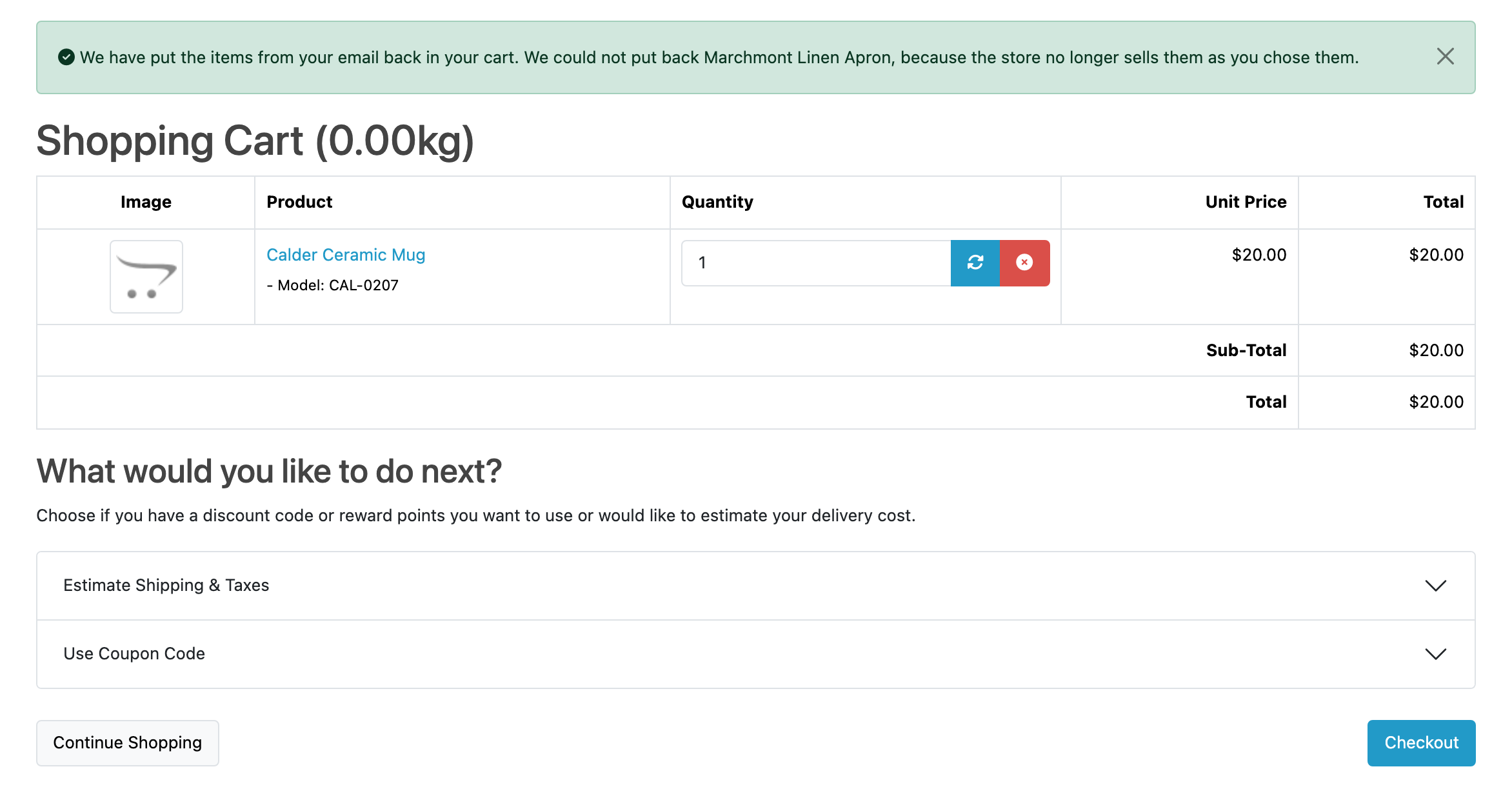
The row on the Episodes tab now says clicked beside its dot.
5. Buy, and watch it come back
Place the order and pay with a method that puts it at one of your Processing or Complete statuses (System → Settings → Option). At the next pass, the abandonment moves to Recovered, and the funnel at the top of the Episodes tab counts it.
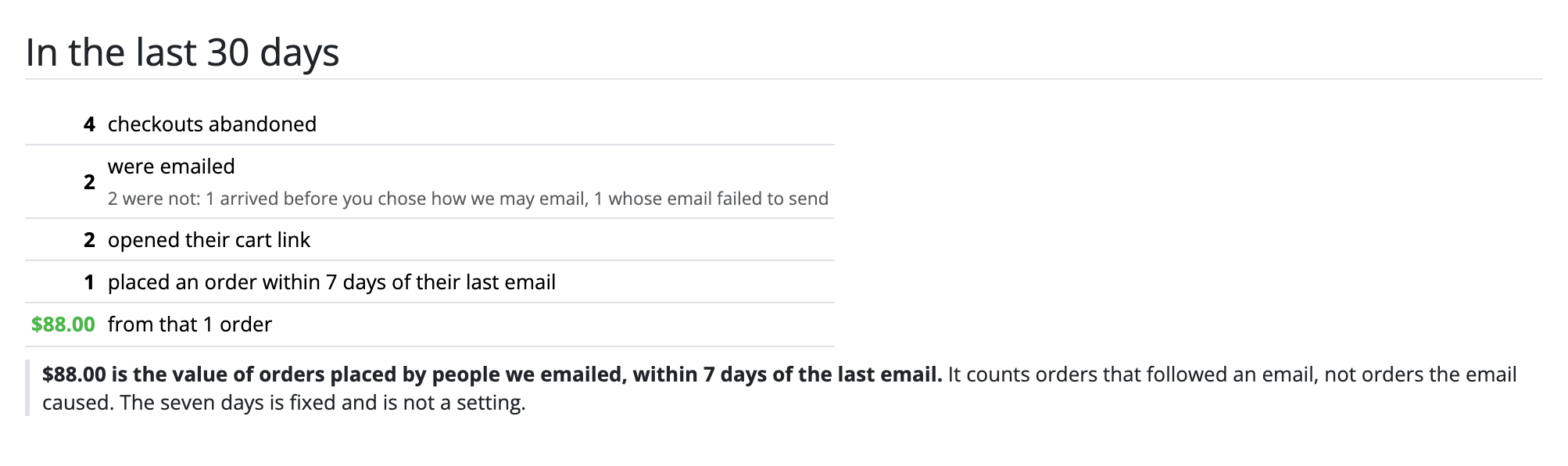
That is the whole loop. Before you go live, read the two ways it may email and decide whether Reminder only is where you want to stay.