B2B Pricing
Wholesale and B2B pricing built on price lists as first-class objects: a named set of prices, assignable to a customer group or to one individual customer, so a negotiated price follows the buyer from the product page to the order line.
You already have OpenCart's Discount tab. It puts a price on a product, for a group, at a quantity, one row at a time, and every row lives inside the product it prices. A price list turns that round: the list is the thing, it holds as many products and quantity rungs as you like, and who is on it is a separate decision you can change without touching a price. So you can build Trade 2026 in the open, check it, switch a customer onto it, and switch them back.
Who it is for
A store that sells to businesses as well as, or instead of, the public: trade accounts, contract prices, an agreed price for one company that is nobody else's business, and ranges sold by the case.
If you keep a spreadsheet of what each account pays and type it into the Discount tab, B2B Pricing replaces that job.
What it does
- Per-customer prices. A list can be assigned to one named customer, not just to a group. An arrangement with one company beats the group's list, every time, and Price check will tell you so.
- Prices that cannot go stale. Nothing is copied into OpenCart's own discount table and nothing is materialised anywhere. The price is worked out from the list when it is asked for, so there is no cache to clear, no overnight job and no second copy to go out of date.
- One number from the product page to the order line. The catalogue, the listings, the modules, search, compare, the wishlist and the cart are all answered by one piece of code, so the price shown and the price charged are the same number by construction.
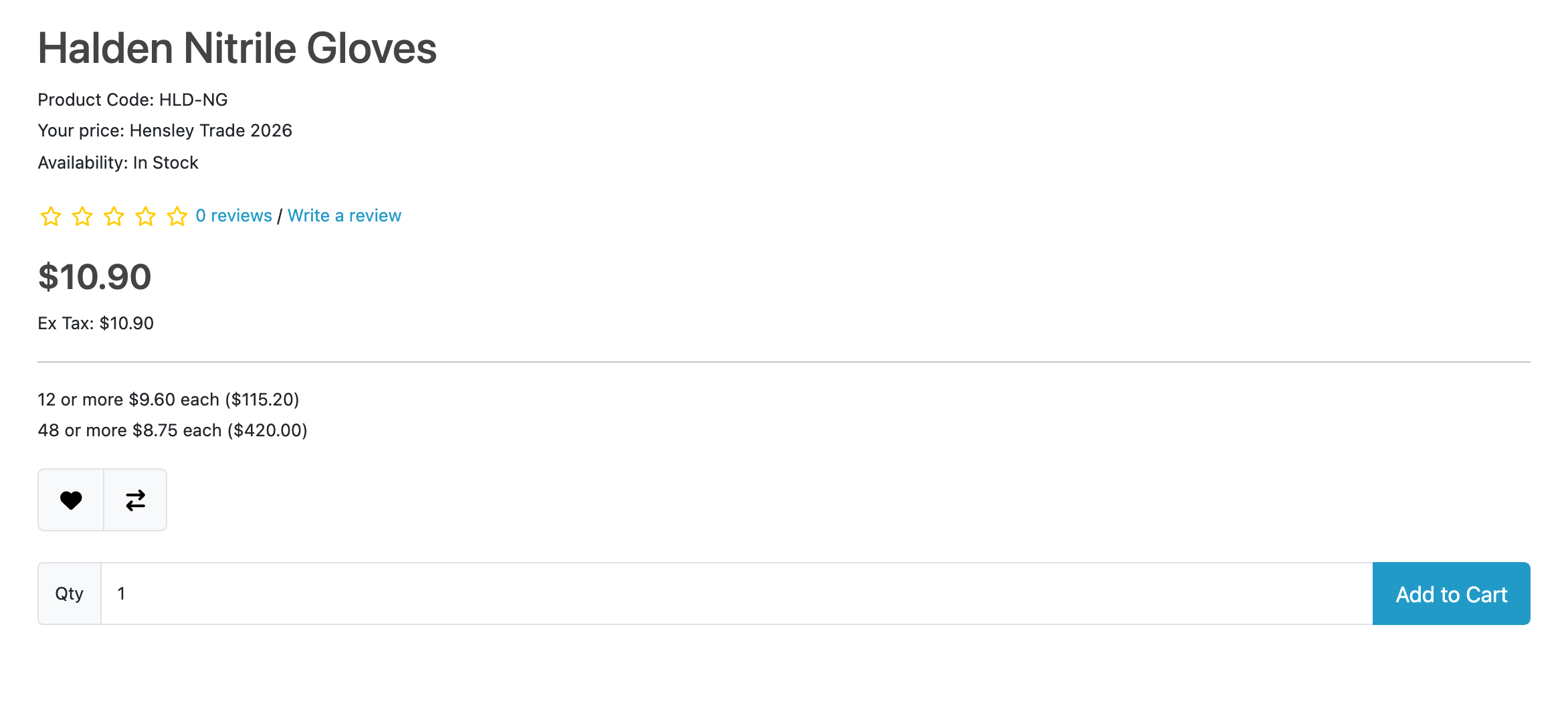
- Quantity ladders. A list holds rungs (1, 12, 48), and the product page shows the price per unit and the line total at each.
- Case quantities. A minimum and a multiple, per customer group, per store, so a group that buys by the case is prefilled with 12 everywhere and stopped at the checkout if the quantity is edited to something the case does not allow.
- Price check. Type a customer, a product and a quantity, and it names the list that set the price, the lists that lost and why, and OpenCart's own discounts sitting there not consulted.
- A CSV import and a bulk set. A supplier's quarterly file goes in as one upload, into a new list you check before anybody buys on it. A percentage off a category or a brand is two steps and a sentence that says what pressing the button will do.
- Copy and download. A list copies with its prices, nobody on it and switched off, and downloads as a CSV the import reads back, so a change to a live list is built beside it rather than in it.
- A JSON API an ERP loads prices through: create tonight's list, upsert its rungs in batches, move one assignment onto it. Moving the assignment is the whole cutover.
What it does not do
These are the things B2B Pricing does not do. Limits and guarantees states each one in full.
- It needs OpenCart 4.1.0.1 or newer. OpenCart changed how it stores a price, twice, and below that release a list would win on the product page and lose in the cart. It declines to install rather than half work.
- It holds no VAT number and decides no tax. No VIES lookup, no reverse charge, no automatic move between customer groups. Collecting the number and exempting a group is five steps of stock OpenCart, written out in guides.
- Prices are absolute, and in your store's own currency. A list row holds a price, never a percentage of something else and never a second currency.
- The storefront never shows a wholesale buyer what retail pays. No badge, no crossed-out price, no saving figure. The comparison is in the admin, where it is useful to you.
- A subscription line is priced by its plan, not by a list.
- No template is replaced, so themes keep working. Anything that would need markup of its own does not exist.
The rest of this section
- Requirements & install: what the store needs, and the steps to get B2B Pricing running in it.
- Quick start: the shortest path from installed to useful.
- Guides: walkthroughs, one per task.
- Reference: the lists of settings, verdicts, API and cost.
- Limits & guarantees: what B2B Pricing promises, and where that promise stops.
- Troubleshooting: when it does not behave.
- Changelog: what changed in each release.
Whichever extension you bought, the shared pages apply to it too.